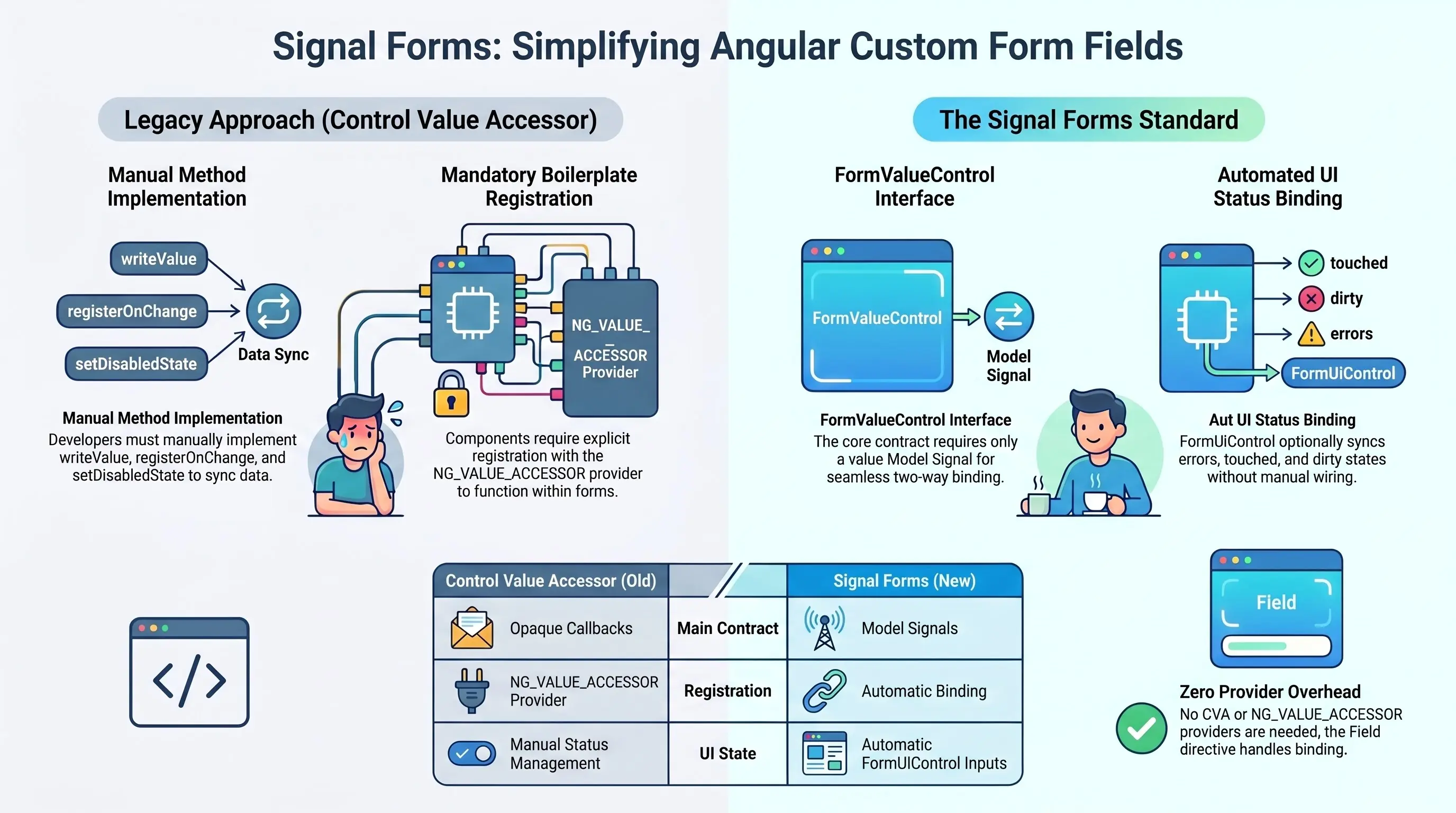
For years we were relying on the Control Value Accessor.
With Signal Forms comes the new interface we need to implement.
From ControlValueAccessor to FormValueControl
With classic Reactive Forms, if you wanted a custom form field (date picker, rich text editor, dropdown, etc.), you had to:
- implement
ControlValueAccessor - register it with
NG_VALUE_ACCESSOR - manually implement
writeValue,registerOnChange,setDisabledState, etc.
With Signal Forms, the contract moves to interfaces instead of opaque callbacks:
FormUiControl— optional UI/status inputs (errors, disabled, touched, etc.)FormValueControl<TValue>— the main contract for controls that edit a value
If your component implements FormValueControl<TValue>, the Field directive knows how to bind a field to it.
What these interfaces really mean
FormUiControl
This is a "nice to have" set of inputs. Each property is:
- optional
- an
InputSignal<…>(or similar) - automatically bound by
Fieldif present
Examples:
errors?: InputSignal<ValidationError[]>
→ If you implement it, Field will push validation errors into your component.
disabled?: InputSignal<boolean>
→ If implemented, your component will receive true/false based on field state.
touched?, dirty?, invalid?, pending?, required?, min, max, minLength, maxLength, pattern, etc.
→ All these make it possible to build super smart custom components that fully reflect field state without you manually wiring things up.
You can implement none, some, or all of these. Only value is required — and that’s on the next interface.
FormValueControl<TValue>
This is the core contract for a "normal" custom field:
interface FormValueControl<TValue> extends FormUiControl {
  readonly value: ModelSignal<TValue>;
  readonly checked?: undefined;
}
Key points:
-
value: ModelSignal<TValue>is required
→ This is the two-way binding between your component and the form. -
checked?: undefinedis explicitly disallowed here
→ That’s reserved for a different contract (checkbox style components).
So:
If your component has a value model signal, it can be used with [field].
No writeValue, no registerOnChange, no providers. Just a model signal.
Minimal example: Custom input with Signal Forms
Imagine a simple custom input component:
import { Component, model, input } from '@angular/core';
import { Field } from '@angular/forms/signals';
import type { FormValueControl } from '@angular/forms/signals';

@Component({
  selector: 'app-fancy-input',
  standalone: true,
  template: `
    <label class="flex flex-col gap-1">
      <span class="text-sm font-medium">Fancy input</span>
      <input
        class="border rounded px-3 py-2"
        [value]="value()"
        (input)="value.set($any($event.target).value)"
        [disabled]="disabled() ?? false"
      />
    </label>
  `,
})
export class FancyInputComponent implements FormValueControl<string> {
  // required by FormValueControl
  readonly value = model<string>('');

  // optional, from FormUiControl — Field will bind them if present
  readonly errors = input<ReadonlyArray<{ message: string }> | undefined>();
  readonly disabled = input<boolean>();
  readonly invalid = input<boolean>();
}
Then you can use it in a Signal Form like this:
import { Component, signal } from '@angular/core';
import { form, Field } from '@angular/forms/signals';
import { FancyInputComponent } from './fancy-input.component';

@Component({
  selector: 'app-root',
  standalone: true,
  imports: [Field, FancyInputComponent],
  template: `
    <form>
      <app-fancy-input [field]="form.name"></app-fancy-input>
    </form>
  `,
})
export class AppComponent {
  private readonly model = signal({ name: '' });

  protected readonly form = form(this.model);
}
That’s it. No CVA, no NG_VALUE_ACCESSOR.