A Journey from Zone.js to Signals
For Angular developers, reactivity has been synonymous with Zone.js for years. This library enabled "magical" UI updates by monkey-patching almost all asynchronous operations in the browser. While this facilitated initial development, the cost was high: unpredictable change detection cycles and difficult debugging.
Today, with the stabilization of the Zoneless mode in versions 20 and 21, Angular is transitioning to a precise, graph-based reactivity model using Signals.
Why Are We Leaving Zone.js?
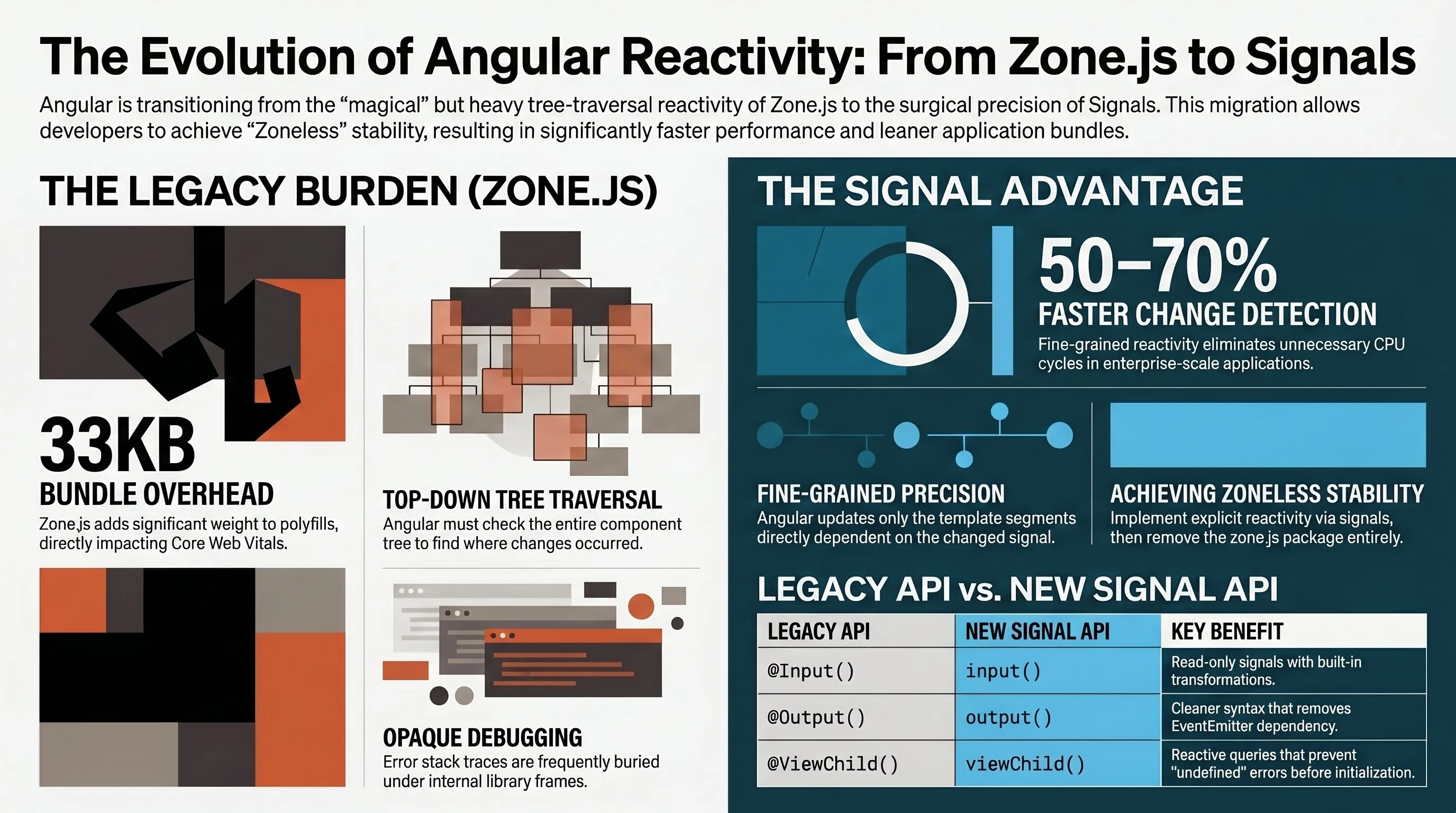
The main issue with Zone.js is that it knows something happened, but it doesn't know what changed. Because of this, Angular has to traverse the entire component tree (from top to bottom) to check where the change occurred.
In enterprise applications with hundreds of modules, this leads to:
- Performance overhead: Unnecessary detection cycles that consume CPU.
- Larger bundles: Zone.js adds about 33KB to your application, directly impacting Core Web Vitals.
- Lack of transparency: Error stack traces are often buried under internal Zone.js library frames.
Signals: Fine-Grained Reactivity
Signals shift the paradigm from "push changes everywhere" to "track only what is used" (pull-based reactivity).
The main building blocks are:
signal(): Your primary source of state.computed(): Derived states that are lazy and memoized (calculated only when needed and when dependencies change).effect(): Used for side effects like logging or manual DOM synchronization.
This approach enables Angular to perform surgically precise updates. Instead of scanning the entire tree, it only updates the part of the template that directly depends on the changed signal.
The New Standard for Components
The migration to signals brings entirely new functional APIs that replace legacy decorators:
| Legacy API | New Signal API | Advantage |
|---|---|---|
@Input() |
input() |
Read-only signal, supports built-in transformations |
@Output() |
output() |
Cleaner syntax, no longer requires EventEmitter |
@ViewChild() |
viewChild() |
Reactive queries, no more undefined errors before ngAfterViewInit |
The Path to Zoneless Stability
If you want to extract maximum performance (and achieve 100/100 on Lighthouse), Zoneless Angular is the goal. Since zoneless change detection is now the default behavior in modern Angular, here is what the process looks like in two steps:
- Explicit Reactivity: Every state change must happen through signals or the
AsyncPipe. "Accidental" UI refreshes are a thing of the past. - Dropping the Weight: Remove
zone.jsfrom the polyfills section inangular.jsonand uninstall the package entirely.
The result? Benchmarks show 50–70% faster change detection and up to 35% fewer re-renders compared to the traditional RxJS approach in enterprise systems.
What About RxJS?
Signals do not replace RxJS. They are built for UI state, while RxJS remains unparalleled for asynchronous orchestration (HTTP calls, WebSockets, complex streams). You should use @angular/core/rxjs-interop (functions like toSignal and toObservable) to seamlessly bridge these two worlds.
Conclusion
Moving from Zone.js to Signals is not just a cosmetic code update. It is a fundamental shift toward an architecture that is faster, easier to debug, and prepared for the future of the web. For enterprise applications, this is the difference between a system that noticeably lags and one that scales without effort.
Technical implementation notes:
- Testing: In a zoneless environment,
fakeAsyncno longer works. Migrate to nativeasync/awaitandfixture.whenStable(). - Debugging: Use
provideCheckNoChangesConfig({exhaustive: true})during development to catch state changes that Angular failed to detect.